How Do You Find the Radius From the Circumference in Minecraft?
Find the radius from the circumference using r = C / (2π), then use the diameter to plan a Minecraft circle without confusing length with block count.
On this page
If you're using Minecraft to build a circle, how do you determine what radius and diameter values to use? If you know the circumference, then you can work backwards. For example, if you know the geometric distance around the circle is 24 units, you can divide that by 2π to get the radius. And if you want to create a circle of radius 14 blocks, that means its geometric circumference would be 28π (since circumference = π × diameter). In each case, we have to remember that our measurements are in block-length units rather than discrete counts of placed blocks.
Find the Radius From the Circumference
To find the radius of a circle, you need only know its circumference. That's because C equals 2πr, where C is the circumference and r is the radius. Rearranging this formula yields the equation r = C / (2π), which shows that we need only divide the circumference by twice the value of π to calculate the radius.
On a calculator, you might enter the entire denominator together, rather than dividing by two alone, as shown below:
C ÷ (2 × π)
Since 2π is approximately equal to 6.2832, this simplifies the calculation further. The exactness of your result will depend on the calculator’s precision and the accuracy of your input number for the circumference.
Numeric Circumference and Exact Multiples of π
In general, any numerical circumference you choose produces an approximate radius. However, there is one exception: an exact multiple of π will produce a clean division. Let’s say you decide to give your circle a circumference of 24 unit lengths. Dividing that by 2π gives you approximately 3.82 unit lengths for the radius. But what if you choose a circumference of 28π instead?
Dividing that by 2π simply cancels out π, yielding exactly 14. So while your first example results in a messy decimal, the second example has a precise, even answer. The difference here is that the first example is a numeric circumference, whereas the second uses an exact multiple of π to yield a neat result.
Geometric Measurements in Minecraft
Now that we've established that a circumference is the distance around a perfect circle, you’ll need to treat this geometric measurement with care when planning a Minecraft build. A simple mistake in your math could lead to an inaccurate design that doesn’t quite match up with the generator’s specifications or your vision for the final product. Remember, too, that these measurements apply to circles as they appear within Minecraft itself, not to the number of blocks you’ve placed or the area they occupy.
You can always adjust the numbers slightly later to accommodate for minor errors, but it’s best to make your plan ahead of time. After all, you don’t want to waste your resources trying to fit the wrong layout to the wrong geometry.
Turn the Radius Into a Diameter
But how do you turn that radius into something usable in the world of Minecraft? It turns out that it’s not much different from working with regular geometry, since you can derive the diameter by simply doubling the radius. d = 2r. So again, if you have a hypothetical circle of circumference 24 block-length units, your radius would be roughly 3.82, and thus your diameter about 7.64. Again, though, this doesn’t help you place individual blocks precisely within the confines of the Minecraft world.
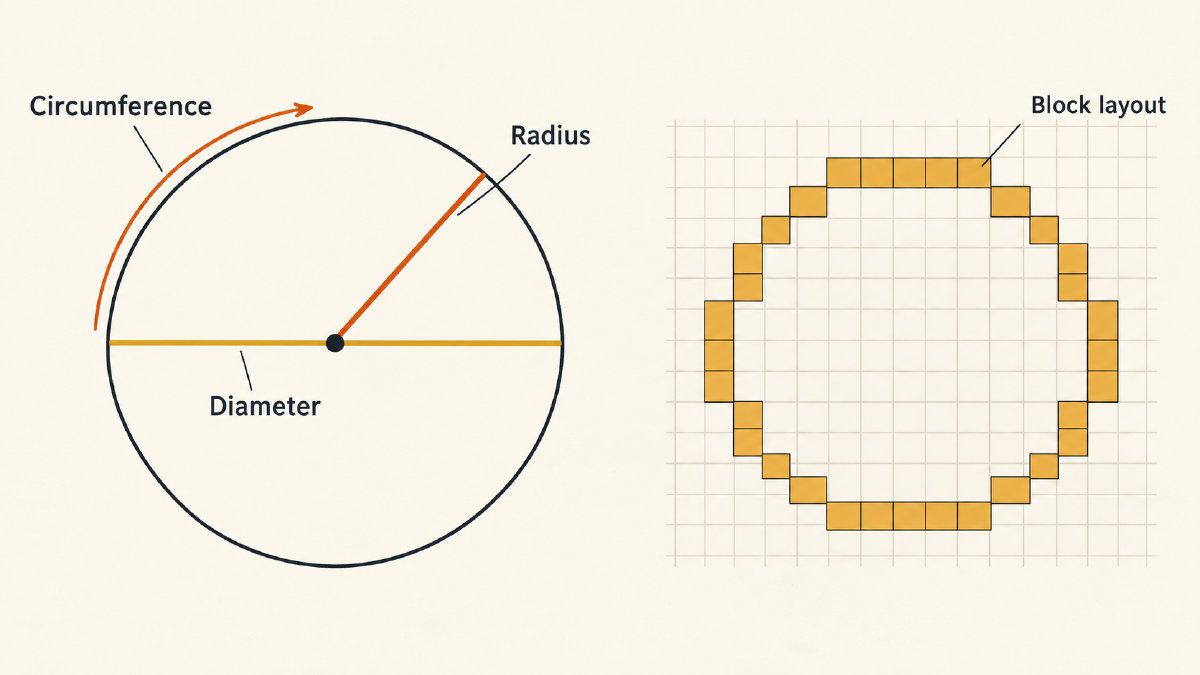
So let’s say that you’re okay with adjusting your numbers to simplify your calculations. Instead of going with a geometric diameter of 7.64 block-lengths, you go with a whole-number choice of 8 block-lengths. In doing so, you change the intended circumference to 8π, and leave the generator’s width convention separate.
It’s worth noting that while this outline’s placement of blocks does not equate to the actual length of the perimeter, you’ll also have to consider that you cannot estimate your dimension estimates based on the count of placed blocks. The number of placed blocks is a discrete count, whereas the geometric dimensions relate to distances and shapes, not individual blocks.
Therefore, the geometric radius and diameter alone are insufficient to specify the layout of blocks. This applies equally well to material counts, depending on the layout.