What Is the Circumference of a Circle in Minecraft?
The circumference of a circle is its boundary length. Calculate it from diameter or radius, then use your Minecraft blueprint for exact block counts.
On this page
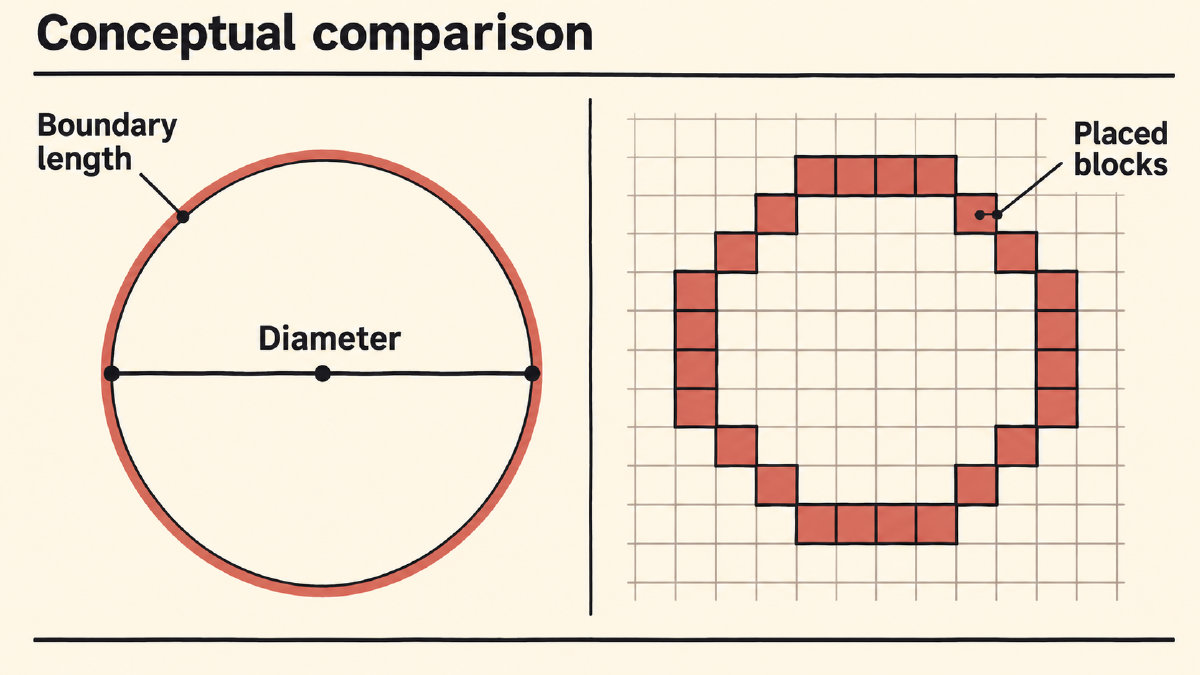
The circumference is a geometric boundary, which measures the continuous length of a circle’s perimeter. While placing blocks around the outline of a circular structure may suggest otherwise, it's important to distinguish between the continuous line representing a circle’s boundary and the discrete number of individual blocks that you place to build it.
Circumference Formulas Using Diameter and Radius
Diameter and radius both describe the same circle. If you're measuring the circle based on its diameter (the straight line from one edge to another passing through the center), then you’ll use the circumference formula that uses the diameter. Otherwise, if your measurements are based on the radius (the distance from the center of the circle to any point on the boundary), you'll need to use the other formula. The formulas themselves will determine the value you want: for example, when using the diameter formula, the equation will be C = π × d. When using the radius formula, the equation will be C = 2π × r. In both cases, π equals approximately 3.14159.
Let’s work through an example using the diameter formula. If the circle has a diameter of 10 block-length units, we can substitute that into the equation as such: C = π × 10, which equals 10π block-length units. Because π equals 3.14159, this gives us 10 × 3.14159 = 31.4159 block-length units. If we round to two decimal places, that would be 31.42 block-length units. However, it’s important to remember that these calculations represent the continuous boundary of the circle rather than the total number of building materials needed.
Turning Circle Dimensions Into a Building Plan
When creating a blueprint or turning your size choice into a building plan, there’s a great deal of nuance involved. For example, how many rows will you use? How many material choices do you have? It’s impossible to simply rely on geometric dimensions alone because they won’t establish exactly what material you’re going to use. Likewise, rounded numbers won’t tell you exactly how many blocks will be needed, either.
If you’d like, you can create a generator that creates a basic circular layout with a specific number of blocks per row. You can adjust how many rows you want the circle to contain by selecting different blueprints. The blueprint-specific “outline” will define how many blocks are placed along each row. You can use the site’s existing circle generator to select a size and get a block-by-block blueprint. From there, you can count the materials and follow the rows as you build.